
Open your account
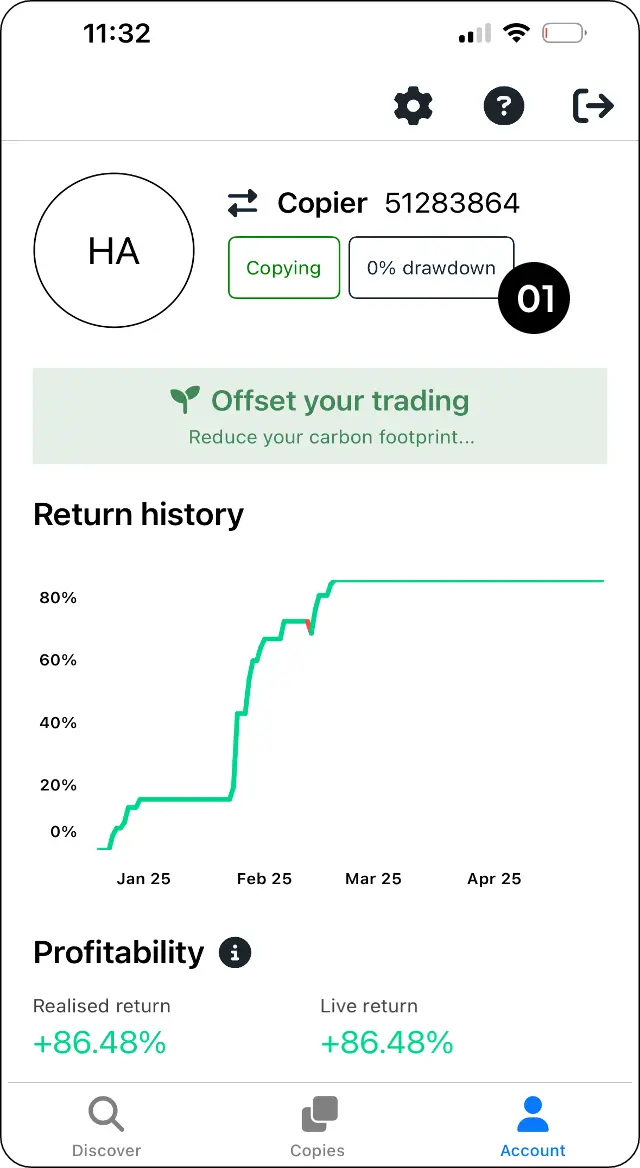
Step 1: Go to Account.
Open drawdown settings
Step 2: Select the drawdown percentage to open the drawdown settings.
Set your soft stop level
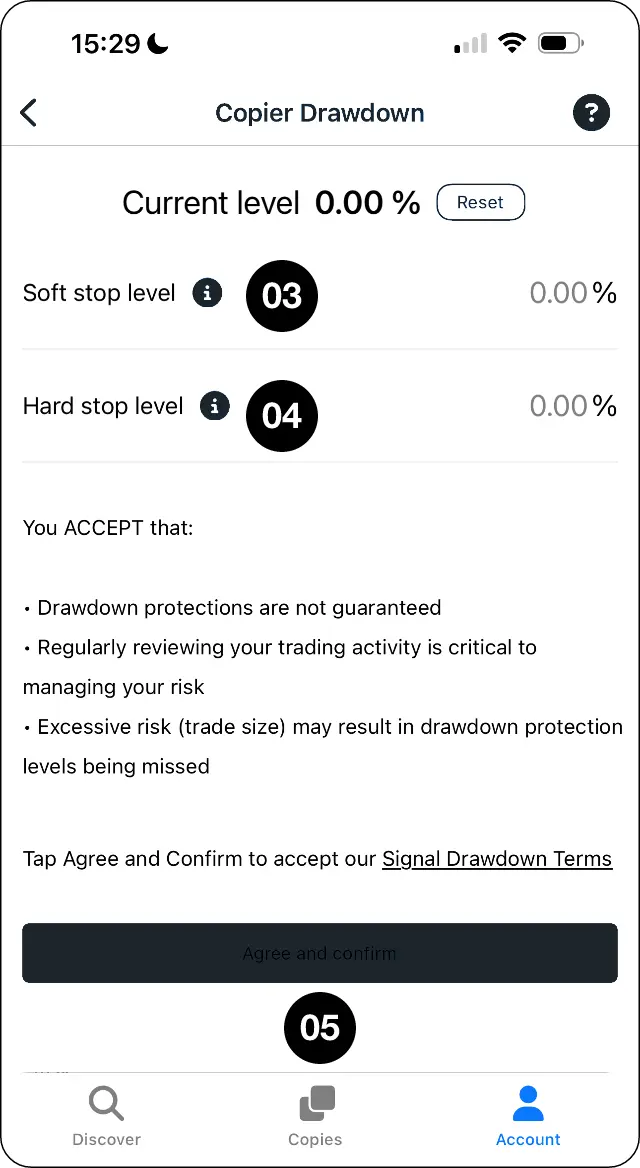
Step 3: Set your Soft Stop Level. If this level is triggered, copying will be suspended.
Set your hard stop level
Step 4: Set your Hard Stop Level. If this level is triggered, all trades will close and copying will be suspended.
Review and confirm your limits
Step 5: Review your settings, then select Agree and confirm.
Expected outcome
Choose what happens when your soft or hard stop level is triggered.