
Find a trader in Discover
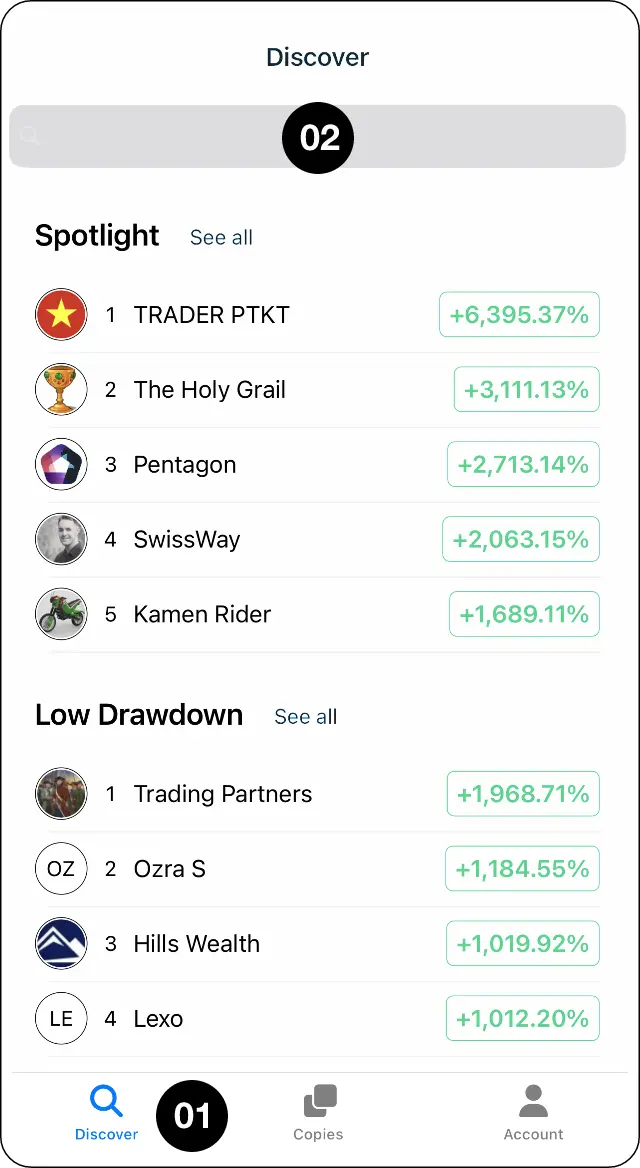
Step 1: Open Discover, then search for a trader or choose one from the list.
Review the trader’s profile
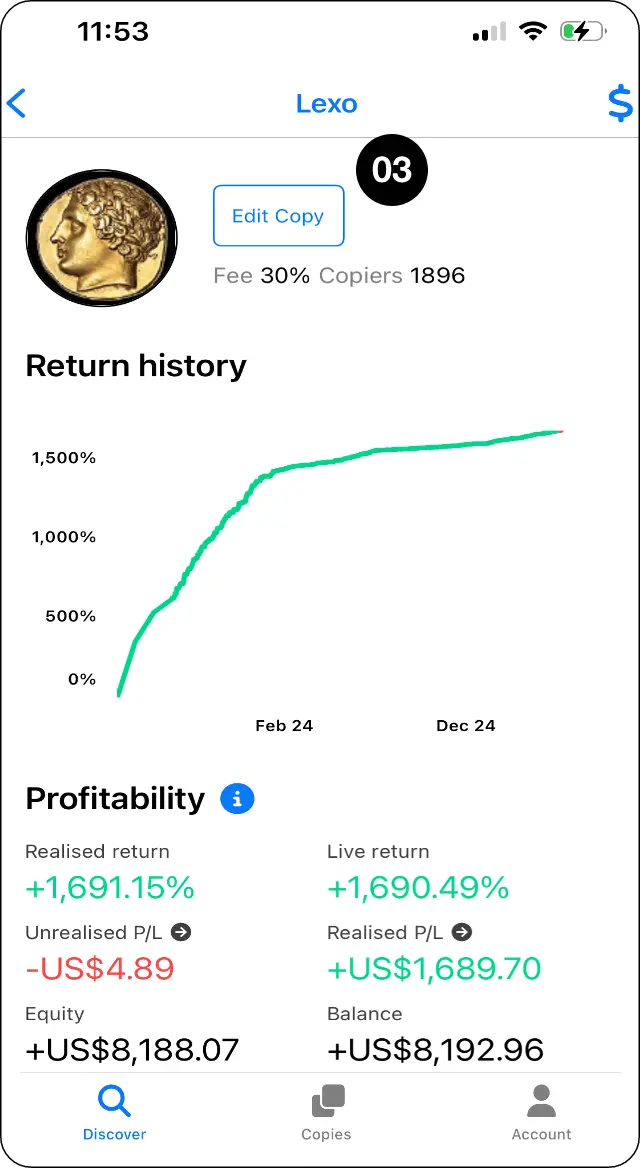
Step 2: Review the trader's profile, including their fee, number of copiers, realised and unrealised P/L, and recent trades.
Select Copy signal
Step 3: When you are ready, select Copy signal.
Choose how copied trades are sized
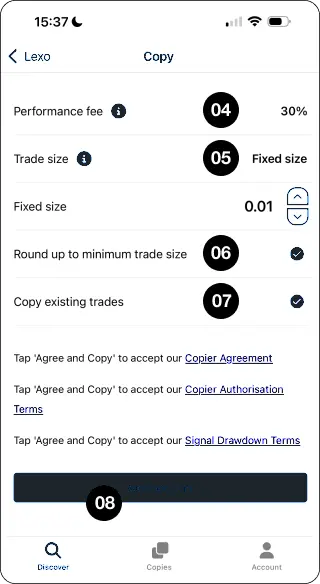
Step 4: Choose how copied trades will be sized: Fixed size: every copied trade uses the lot size you choose. Mirror master size: every copied trade uses the trader's lot size, regardless of the difference in account size. Proportional by equity: the copied trade size adjusts based on the equity in each account. You can reduce or increase the proportion.
Proportional by balance uses the balance in each account, excluding profit or loss on open trades.
For worked examples of fixed and proportional sizing, see CopyMate trade sizing explained.
Set minimum-size and existing-trade options
Step 5: Choose whether CopyMate should round trades up to the minimum allowed size and whether you want to copy the trader's existing open trades.
Rounding up can make a copied position larger than its calculated proportional size, especially on smaller accounts.
Review the minimum-lot example in CopyMate trade sizing explained.
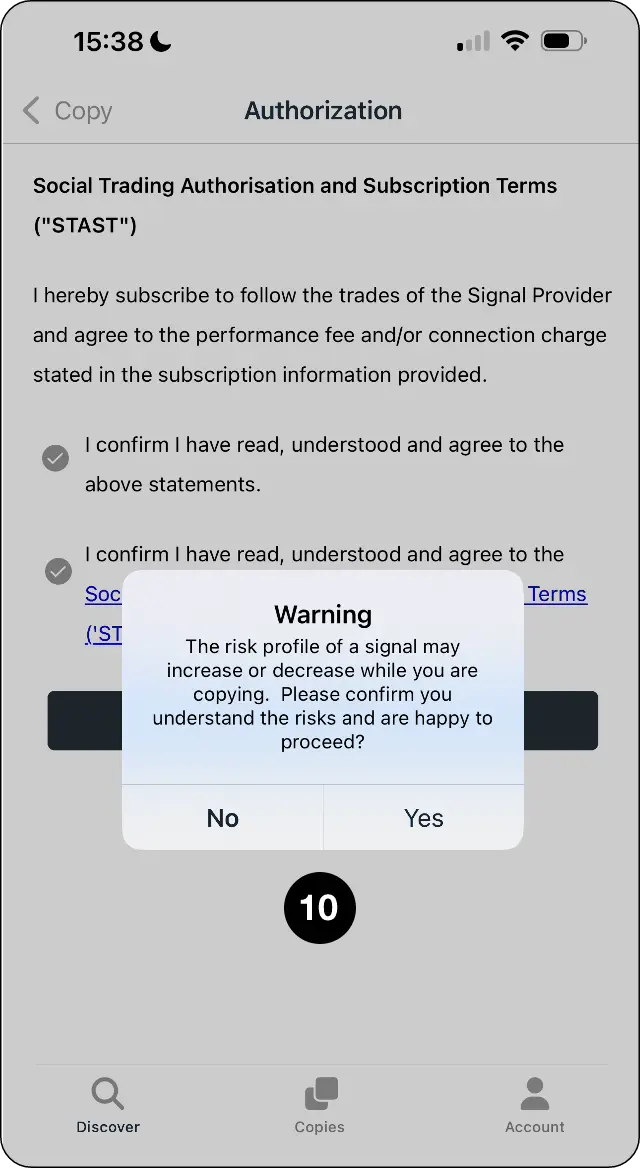
Review the terms and agree to copy
Step 6: Review the terms, then select Agree and copy.
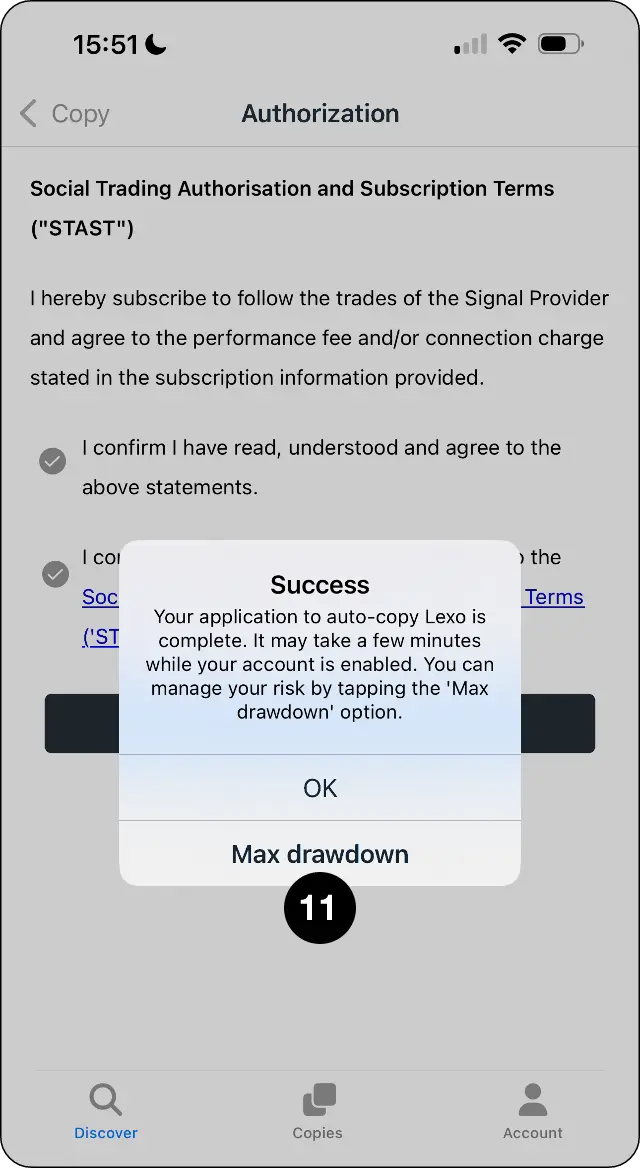
Confirm your risk settings
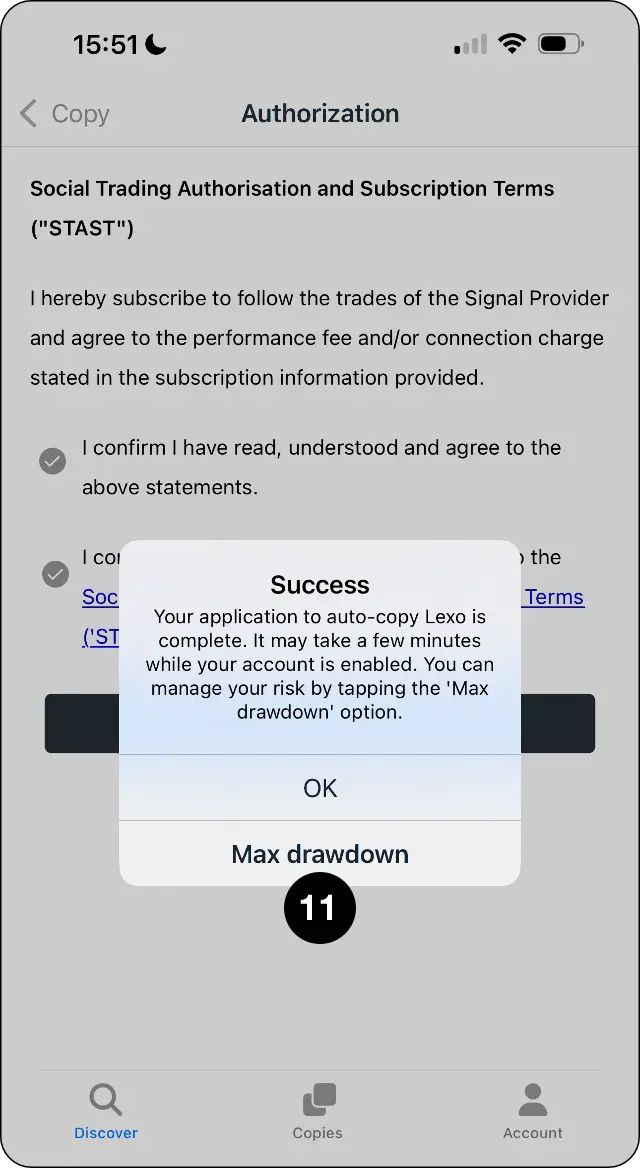
Step 7: Review the risk confirmation. Select OK to start copying, or select Max Drawdown to set your soft and hard stop levels first.
Expected outcome
Choose a trader, set your trade size and confirm how you want copying to work.