
View open trades in Copies
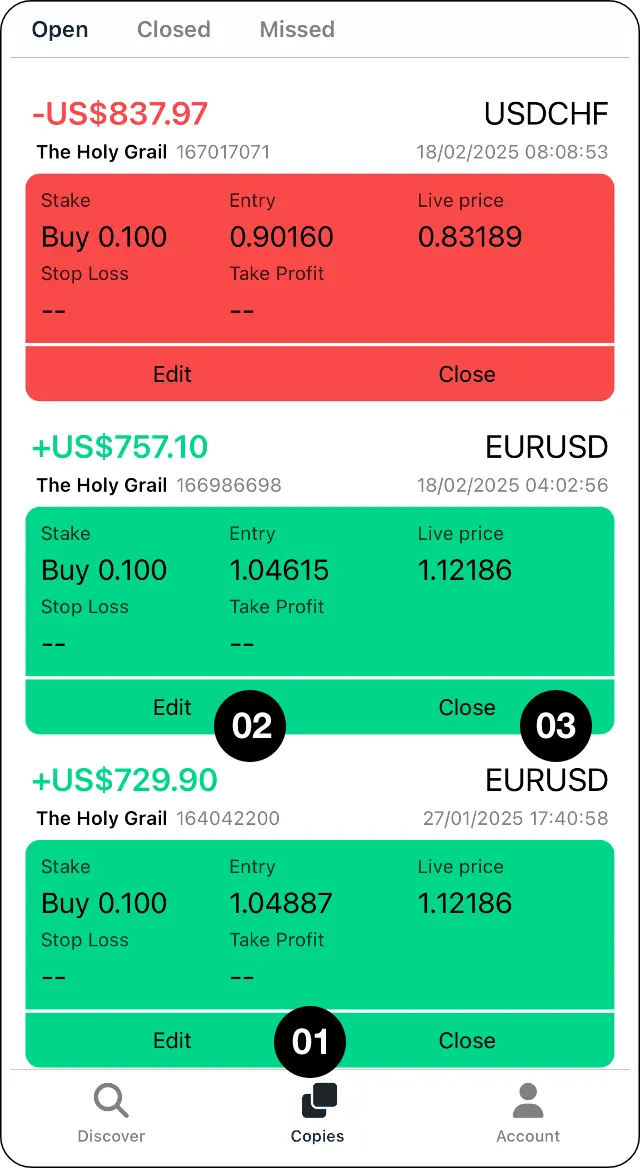
Step 1: Open the Copies tab to view open trades.
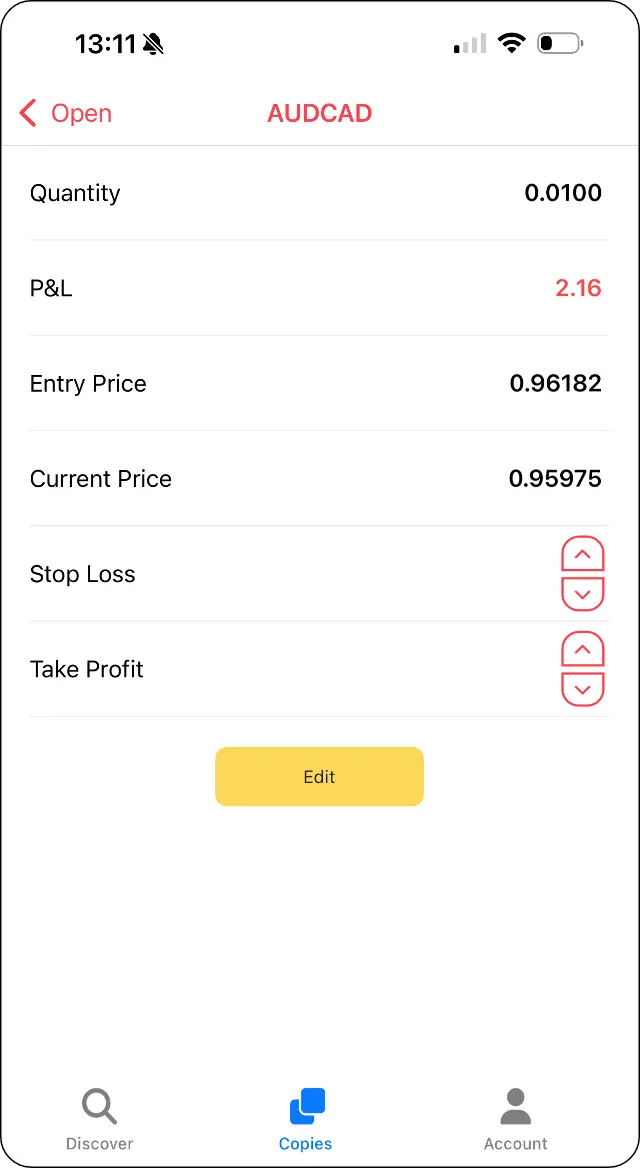
Edit the stop loss or take profit
Step 2: Select Edit to add or change a stop loss or take profit.
Select Close to exit a trade
Step 3: Select Close if you want to close the trade manually.
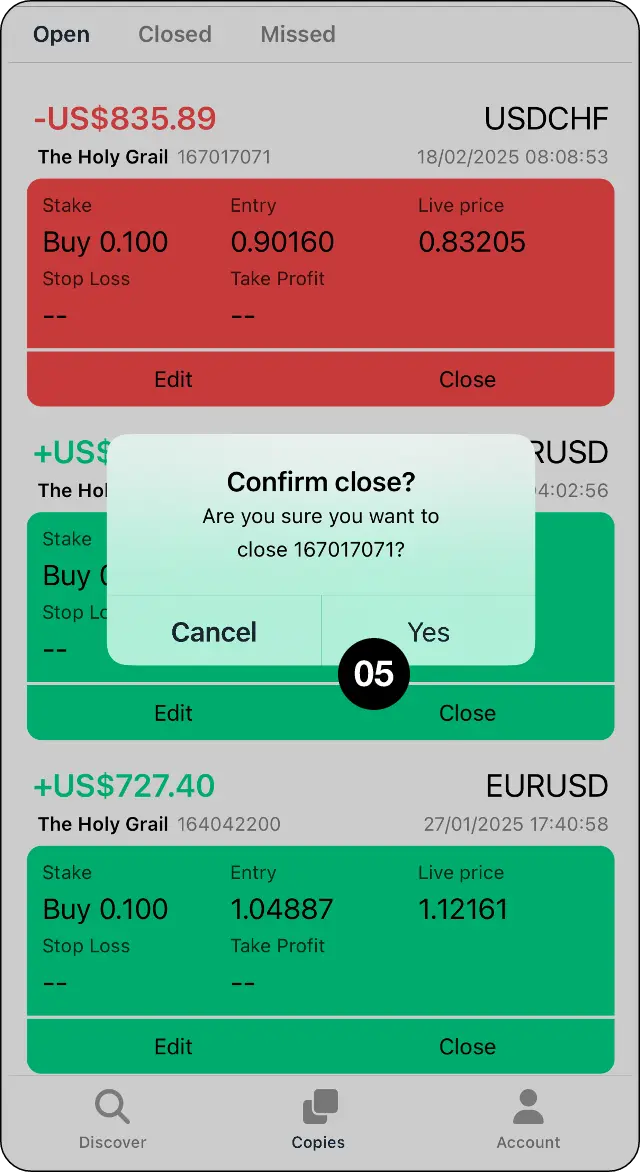
Review and confirm the instruction
Step 4: Review and confirm the instruction.
Expected outcome
Add a stop or limit, or manually close a copied position.