
Connect as a signal provider
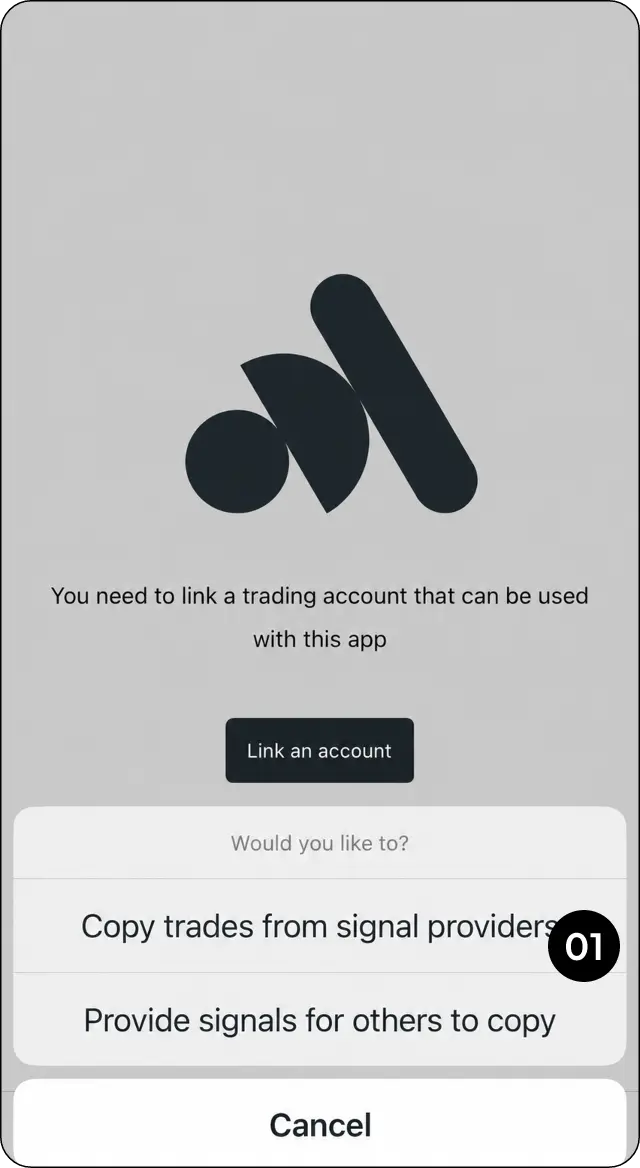
Step 1: Connect the trading account as a Signal Provider.
Submit the risk assessment
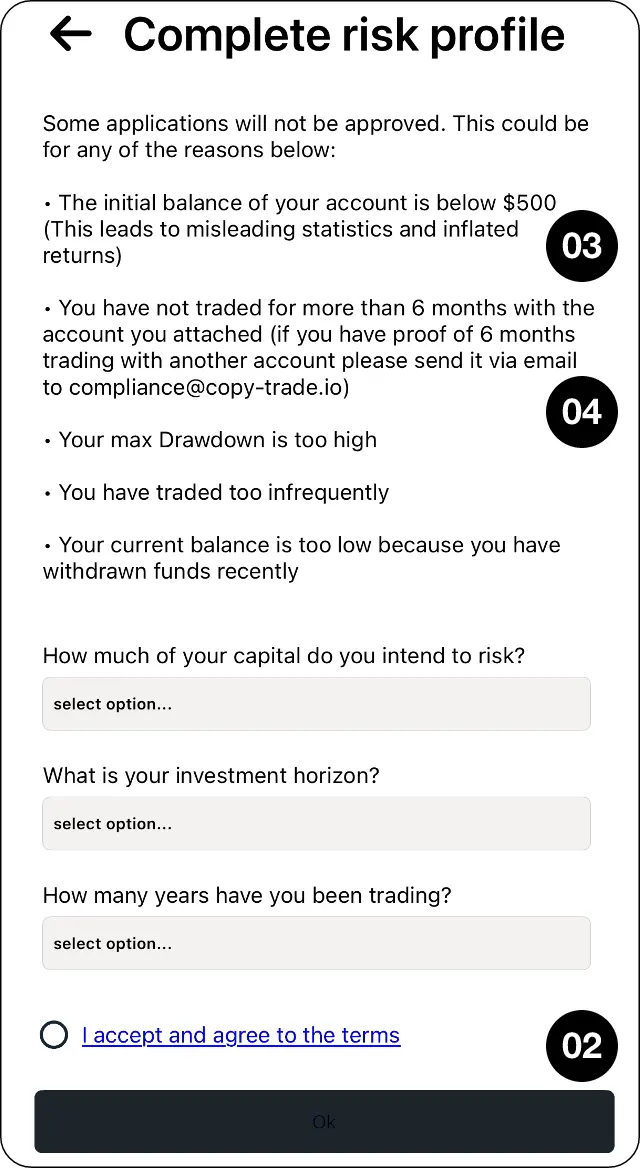
Step 2: Complete and submit the Risk Assessment.
Check balance and trading-history requirements
Step 3: Make sure the account meets the minimum balance and trading-history requirements shown in CopyMate.
Request help with additional trading history
Step 4: If the connected account does not have enough history, contact MarketMates Support about providing a longer trading statement.
Set your performance fee after approval
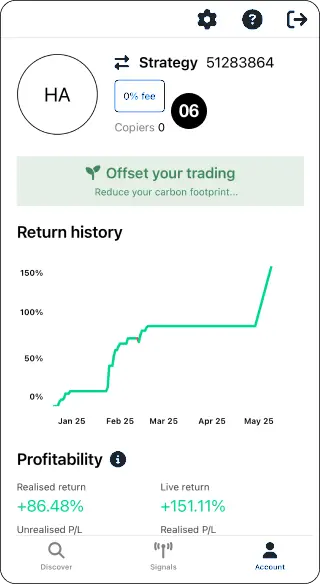
Step 5: Once approved, select the displayed percentage to set the performance fee.
Accept the terms and update
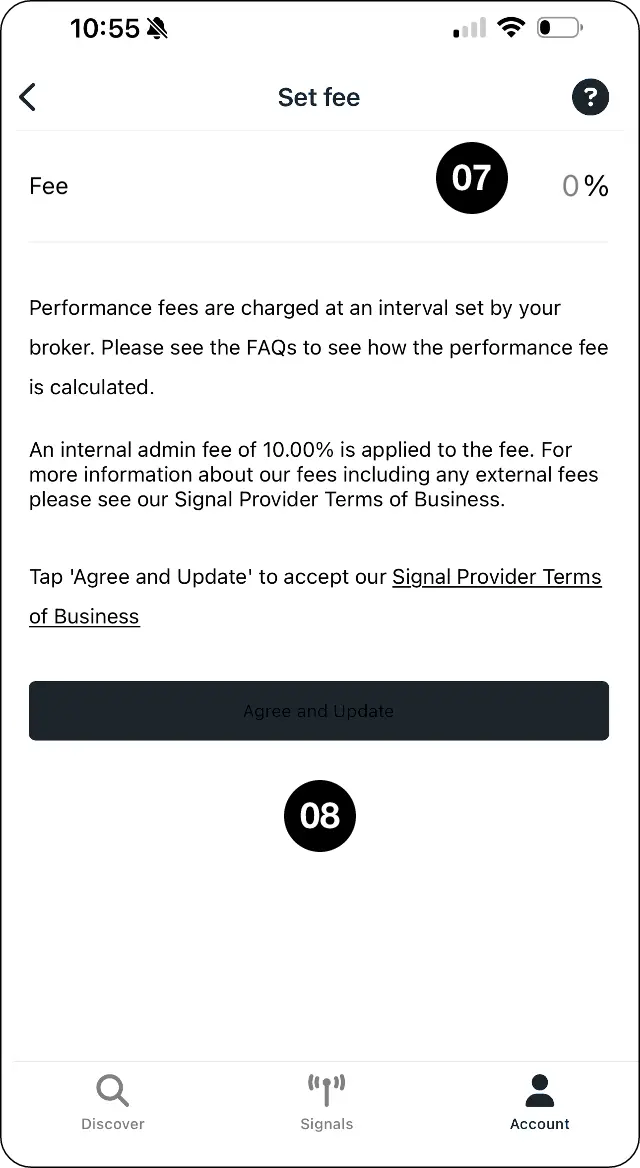
Step 6: Review the terms and select Agree and update.
Expected outcome
Submit your strategy for approval and configure its performance fee.